Friday, 10 May 2013

Post Production- Masking


The video above was the first test i did for Laura to do post production work for her. It had a lot of problems for me to fix and ended up having a bac outcome. The camera was not in focus in most of the time and blurryness everywhere. Also lighting was huge issue for me when editing it. I could not do anything about it.      


Then i had asked her to re shoot the video again and this time to do it slower pace and lighting to be consistant. also the camera to focus on everything. I thought it would be easier to add blurr and focus in post using after effects and lighting too. change exposure and keyframe them to have similar effect as the first one looking like lighting and thunder and windy blowing the house.


i had similar problems with this as the first video. lighting changes in couple of frames and it affects the masking when video moves to those frames, you can see the harsh lines from masking. i tried playing a round with the opacity and feathering but it made it worse and looking more obvious that it was masked out and that something used to be there.


Post Production- Cloning


Post Production


Untitled Story- Refined Colour Correction


When i finished rendering my final video with colour correction. I double checked make sure nothing missing. Then wheb i got home and viewed it again over the big screen tv i noticed the whole video became darker. I was surprised to see this as i checked and knew before i left university where i was doing my rendering, it looked fine. 
I decided that next day i will improve on the colour correction and brightness to fix this problem. 


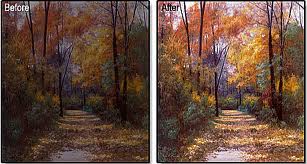
So the picture above shows the refined version before and after. ( left to right) i noticed by increasing the reds a litte on the curves effect and reduce the blue brightens the picture a little and add a nice touch of warm colour. but still not loose the cold blue/greenish tone look.  


When i increase the brightness it reduces the quality of the video and the darker shadowy parts become grainy, it becomes less constrast and looks washed out. so i did not end up using brightness and constract effect.


For the part where the character feels dizzy and flashbacks are about to start, i did a test of distorting the video to show how he feels and sees, using a first person angle. 


When i re did the scene again i wanted to  do the same effect but use the first person shot minimal and to only show the starting point of him feeling the effect of dizzyness and lighth-headedness.


Thursday, 9 May 2013

Untitled Story- Colour Correction Research


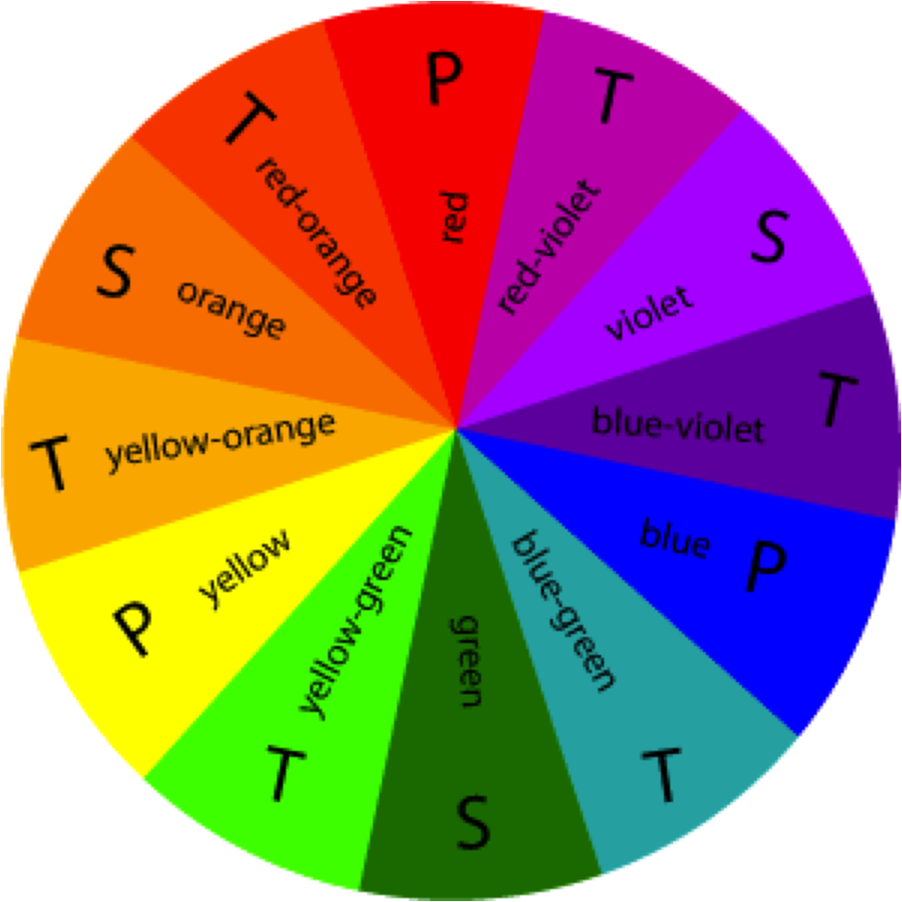
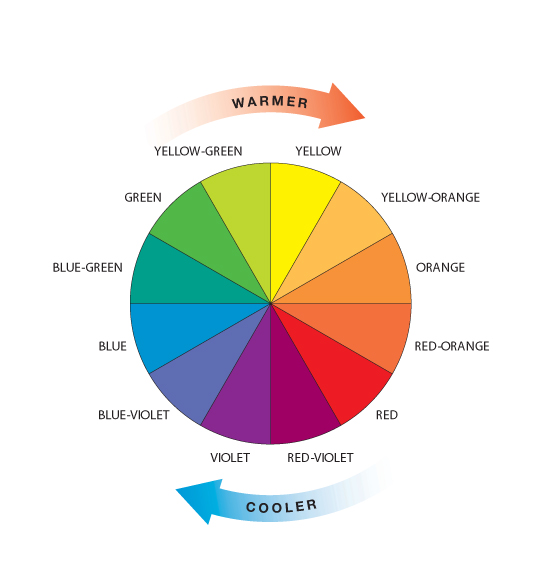
When researching about colour correction, I have to first know about what colours go with what. I looked at colour wheel which gives you the palette and what colours compliments which. This was very helpful in knowing the tone and the look of what I wanted to go for.


For the present time I wanted something dull and less interesting, lifeless. And for the flashbacks It was going to be more vibrant and colourfull, increase the colours and maybe add a little gaussian blur effect to the flashback to give that dreamy shiny look. I want my audience to see how happy his memories were/are and how different it is now, and wonder what happened. Even though I'm not going to explore what has happend to the character, the ending and flashbacks should somehow tell you. In the end you get to realised it was the hospital he was in at the beginning and you get to see the woman by the window is the nurse that saved him in the end.


The Video below is my first colour correction test I did. The feedback I got was to make it easier for the audience to tell apart the flashback to the real time events.
So What I did was colour correct individually all the present scenes to look same and the flashback to have a different colour scheme.  I will upload the updated version on another post. 


Untitled Story- Colour Correction

Colour Correction/ Grading is one of the funnest part to do in editing. I started doing this in my second year when working on advertisement project about Hydration. I did a colour correction for it and I quite enjoyed the process to make the video and the colour pop or show the mood you want to show on the video. If its post apocalyptic world then it is normally less saturated and more dull colours. For happy scenes it is colourfull and vibrant.


 If its post apocalyptic world then it is normally less saturated and more dull colours. For happy scenes it is colourfull and vibrant.


Untitled Story- Time-Lapse


One of the shots had in mind was to do a timelapse to show the character lost and the passage of time. One of the ideas was the end scene to be night scene. So We had to show a timelapse to show the day going and transition to night scene. 
In the end did't end up using the night scene and thought it might be usefull too in the story to show character spending whole day looking for someone or walking throughout the day.


For the time passing you see the trees and the character moving really fast and I only wanted to show the clouds moving not the rest. So I ended up masking the clouds in the reflection only so everything else will be still. I duplicated the footage and then masked the top footage the reflection part only. The footage below I chose a frame I wanted and the freeze framed that shot so it stays same while the clouds move only.

I had to also feather a little the the mask to blend with the footage below so the masked footage does not look cut out and hard edges.


Saturday, 4 May 2013

Untitled Short- Tests


We shot these blank scenes during filming so we could add the actress later in post. We couldn't get her to come as often during the filming dates, so we shot these empty and then when we had her come for other scenes we took photos of her matching the shot of the scenes and angles in mind.


Then on photoshop mask her out and add her to the footage we want. The I track motion the video and transfered the tracked frames to the girl so she moves with the camera and seem like she actually in the shot at the time, but the lighting was not perfect. To match the lighting with the video, had to use curves and match the colour and contrast so fits perfectly and not seem like it was jammed in the shot.


(RVJ sketch idea of photoshop the girl in another scene which she was not in at the time)


The video below is one of the cuts/video I used to the story to make it longer and makes sense. I needed a wide angle shot and a beautiful background location. We had shot some tests few weeks before and that day there was snow everywhere still havent cleared out. It looked awkward using these in the story as the rest of the scenes were in sunny day and this is in middle scene with snow. Still thought they were good scenes to use, We could not go to reshoot the scenes because we had to time left and we went over our timeline dates. It was in the week where we should be working in post. I just had to use the videos we had at the time.


Untitled Short- Feeling Dizzy


Untitled Short- Reflection Effect