Monday, 11 March 2013

Cinematography

I looked at many Cinematographers for my work and get the feel of what the colour tone will be like in my film. I went out around City centre to look at locations of which I can shoot my scenes.

I edited them using my iPad app called Photoforge 2 and After effects on my computer. Mainly used Curves, vibrance, brightness and saturation and tint effects to add and change colours to suit what I want my final video to look like.


These locations had to have interesting buildings or environments around them to film. I wanted to have a great location and background to give atmosphere.


Also time of the day was important to get the perfect colour. In post production you can always change the colour tone and change time from sunny to rainy, but works better if you already got the weather or time shot exact or similar time.


Sunday, 17 February 2013

Visual Effects Inspiration - The Da Vinci Code


Visual Effects Inspiration - Limitless Effects

I really enjoyed Limitless and the visuals it had. I wanted to do something similar for my short film. First of all i love the visual, by visual i mean the colours and the vibrance used. The storytelling through out the film is quite impressive. I love the transitions and it is the reason why i wanted to try them and use them for my short film. I didn't even have a storyboard but i knew i would want to do something like limitless visual effects.


I love this scene when we see words falling down and that his thinking mode has kicked in. Instead of us showing what he is writing on his  laptop, they use words falling down from the ceiling .


in this scene is used to show transition and time passing and also showing the character going through a rough dirty poor guy to a handsome smart and successful.


The scene below was a fish eye lens/ 360 degree view showing his senses working all around and his brain opening up to full capacity. I think this was used to show his senses working as eyes too. He can see back of his head too. To show he knows everything that is going on around him.


Visual Effects Inspiration - Transitions

For my idea for specialist studies 2, I had thought of doing transitions since beginning of the year. I didn't get to explore and learn much since I ran out of time. 
In the film Limitless, we get to see main character experiencing side effects caused by the drug he takes. He goes through blackouts and end up in different places each time his blackout ends. The visuals used to show the audience what he must be going through is presented by zoom effect and it is really effective. I want to do something similar to this for my short story. 


Video below is a neat effect used to show time pass


Friday, 7 December 2012

Cinematography

Wally Pfister


Walter Pfister is an Academy Award-winning American cinematographer and director, best known for his work on Christopher Nolan's films, including MementoInsomniaBatman BeginsThe PrestigeThe Dark KnightInception, and The Dark Knight Rises. Pfister is also known for his work on director F. Gary Gray's The Italian Job and Bennett Miller's Moneyball


His work is amazing, him and Nolan are perfect match in filmmaking in terms of director and Cinematographer. Looking at Nolan's films you see a cold lighting. He loves using blues in cinematography.
Chris talks about his meet up with him he saw The Hi-Line, which premiered at the nearby Sundance Film Festival. “I thought it was a beautifully executed film that was clearly produced with limited resources,” recalls Nolan. “I had to meet the guy who shot it.” He worked with him in his film Memento and since then, they been working together in every Christopher Nolan's project.


Wednesday, 5 December 2012

Tracking Part 2


Tracking


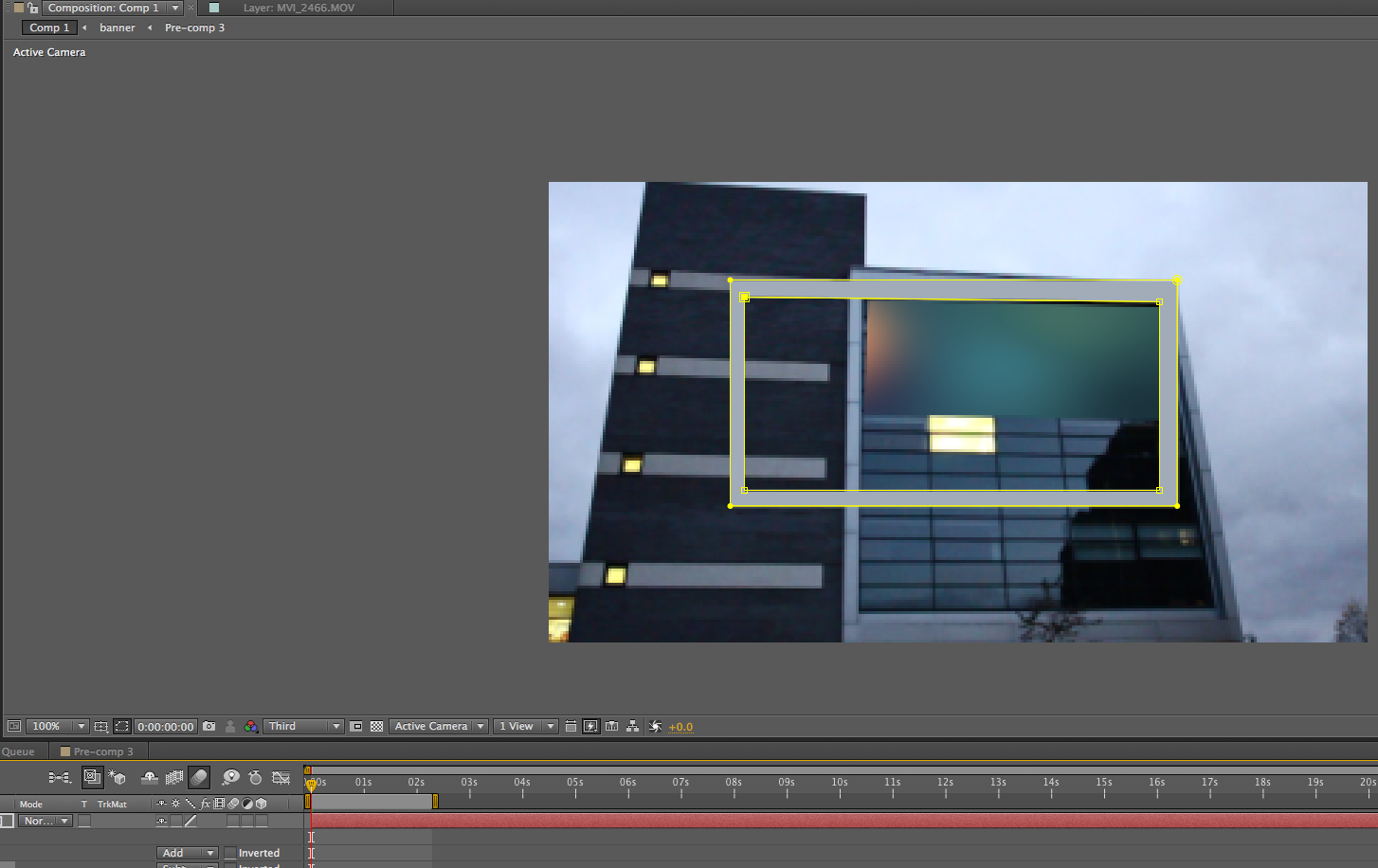
One of the videos I wanted to create a lighting effect onto the antena part top of the building like the movies where lightings and explosions happen ontop of tall buildings with a needle


My tracking didnt turn out good, it got messed up and went off track.

Orb Effect


I had reorded some videos that I wated to use for adding effects I learnt from online tutorials. One of the videos was this shot at sunset outside the University. I saw a tutorial online about creating a spinning tornado like effect and thought i might use it for this shot.


One of the problems i had faced was there was a border line  where the orb wasn't expanding wider. I tried to mask it and feather to soften the edges but it didn't work as i wanted. I followed the tutorial exactly and then i added  the eefct onto the video. I think I should have done it ontop of the video it would have turned out much better.

Falling ( green screen )


I downloaded a green screen footage online to practice my green screen keying out and background replacements. I found this great video which was used as a promo for some website. The whole concept was about a guy over-hearing another talking about his problems with a website server during a sky diving session.


First I did was key out the green properly using key-light effect and then add in the sky background to make it look believable and actually skydiving 


I added curves effect and Tint to come up with a believable colour tone that matches both the actors and the background. also I added wiggle for both the actor footage and the background both being different movements, to create camera shake and movement which sells the video of the guys falling.


Lastly I added an adjustment layer of which I added a lens flare and light to the bottom right to give the source of light. Overall I was satisfied with the outcome as I got to learn a lot about editing and staging it to sell the story.

One of my weekly tutorial I had with my group they suggested I looked at Video CoPilot for tutorials on green screen. I had already learnt how to keyout green but in this website I learnt about feathering out the spill of green and to remove all green from the shot throught alpha channel and increasing the whites and  the blacks to be solid, in this case the white is green and black is the rest of footage.

Filming Tips/Background Replacement


If you can extend out to a wide shot to establish your world, it would definitely be way more convincing and will add a lot of production value

Difference in using some wide angle shot to the video than using just close up shot, it will work and tell your story but the wide angle makes the story more relevant to the audience and familiarize with the environment, which will get the audience invested a lot more.


When talking about filming and setting up his effect shots and position, he talks about how having your focal point (where audience should be looking) whole in shot without effect to be added later makes it simpler

Always turns out better than green screening since most of your actors body if not all is actually against the background your wanting to put them in, so the attention to your audience is on them (actor) and not the places that you’re adjusting. So any strings that your showing usually gets overlooked


what this implies is that sometimes small effects add more to the story and action in the background even though you want the audience to focus on something else. The audience’s mind picks up these small details whilst focusing on something else. Even though the changes might be small, its still makes the scene more convincing.